Features
Everything Stater runs
Nine places, always in the same order, and the pieces that keep them running on your own servers.
 Every plan
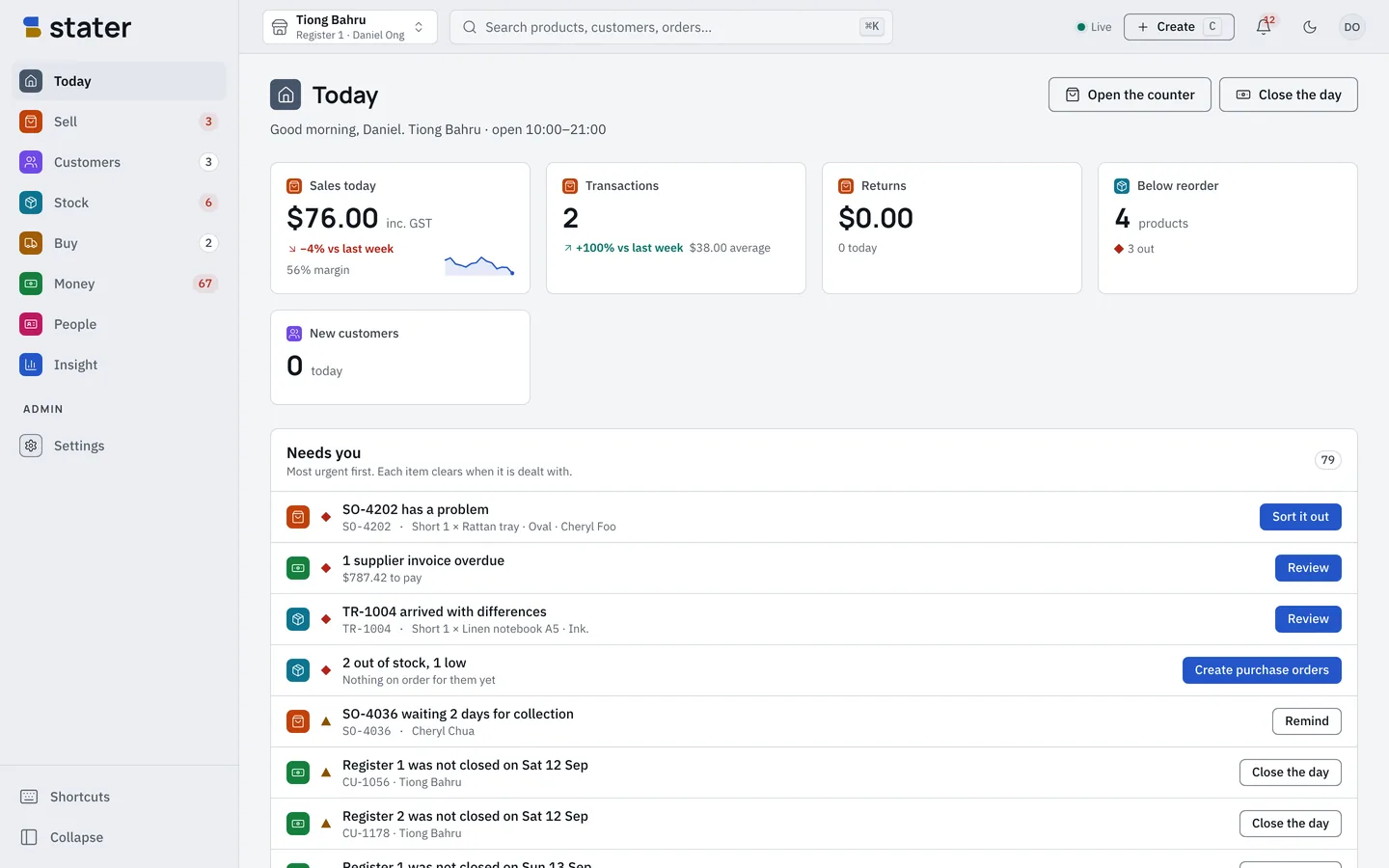
Today
- What needs you, most urgent first: late collections, deliveries with differences, till variances and low stock.
- Each item has its next step one click away: hand over an order, receive a delivery, approve a till variance, reorder what is low.
- Every state is a shape and a colour, so the list reads at a glance and never by colour alone.
 Every plan
Sell
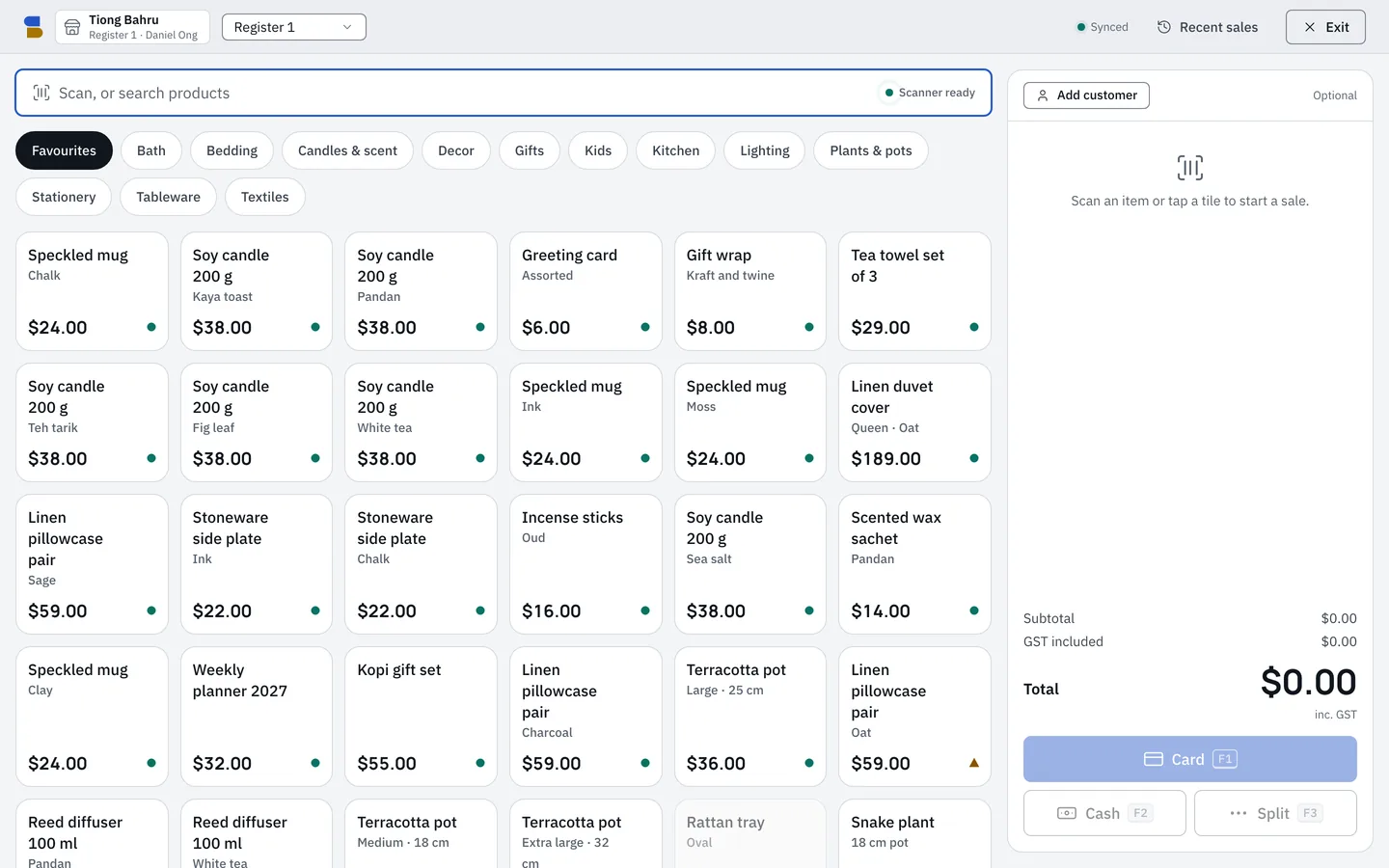
- Scan, attach a customer by card or phone number, and take card, cash or a split.
- Card amounts are keyed into your separate card terminal and the approval code is recorded. Receipts print from the browser.
- A click and collect board moves each order stage by stage to handed over, and missing items can be requested from another store.
- Returns follow manager PIN rules. Automatic promotions at the counter come with Growth and up.
- Scanner first, keyboard second, touch always: counter mode uses 48px targets.
 Every plan
Customers
- A 360° customer record with a timeline.
- Rule-based segments, with CSV export.
- Loyalty points and tiers, and follow-up tasks.
- A deals pipeline for business customers on Growth and up, and wholesale and account customers on Business and up.
 Every plan
Stock
- Stock across stores, with reorder points and suggestions, and adjustments with Undo.
- Transfers between stores, with receiving.
- Counts reconcile sales made during the count, so trading carries on.
- Every stock change goes through a ledger that explains the number on screen.
 Every plan
Buy
- Below the reorder point, one click drafts a purchase order for each supplier.
- Scan to receive deliveries, with a reason recorded for each difference. Overs need a manager's PIN.
- Supplier invoices are created for matching.
- Purchase orders can be emailed to the supplier once email is set up.
 Every plan
Money
- Count the till by denomination. Variances within tolerance pass; anything more needs a manager's PIN, and the audit trail keeps it.
- Banking, and payable and receivable invoices.
- Money is held in integer cents. Prices include tax, and the tax is extracted.
- One currency for each company, with Singapore dollars and GST by default.
 Every plan
People
- Staff accounts with six built-in roles: Owner, Store manager, Sales assistant, Stockroom, Finance and Viewer.
- Store scope is enforced on the server.
- Weekly rosters, a time clock and labour cost.
- Each approver has their own PIN, so every approval is put down to the right person.
 Every plan
Insight
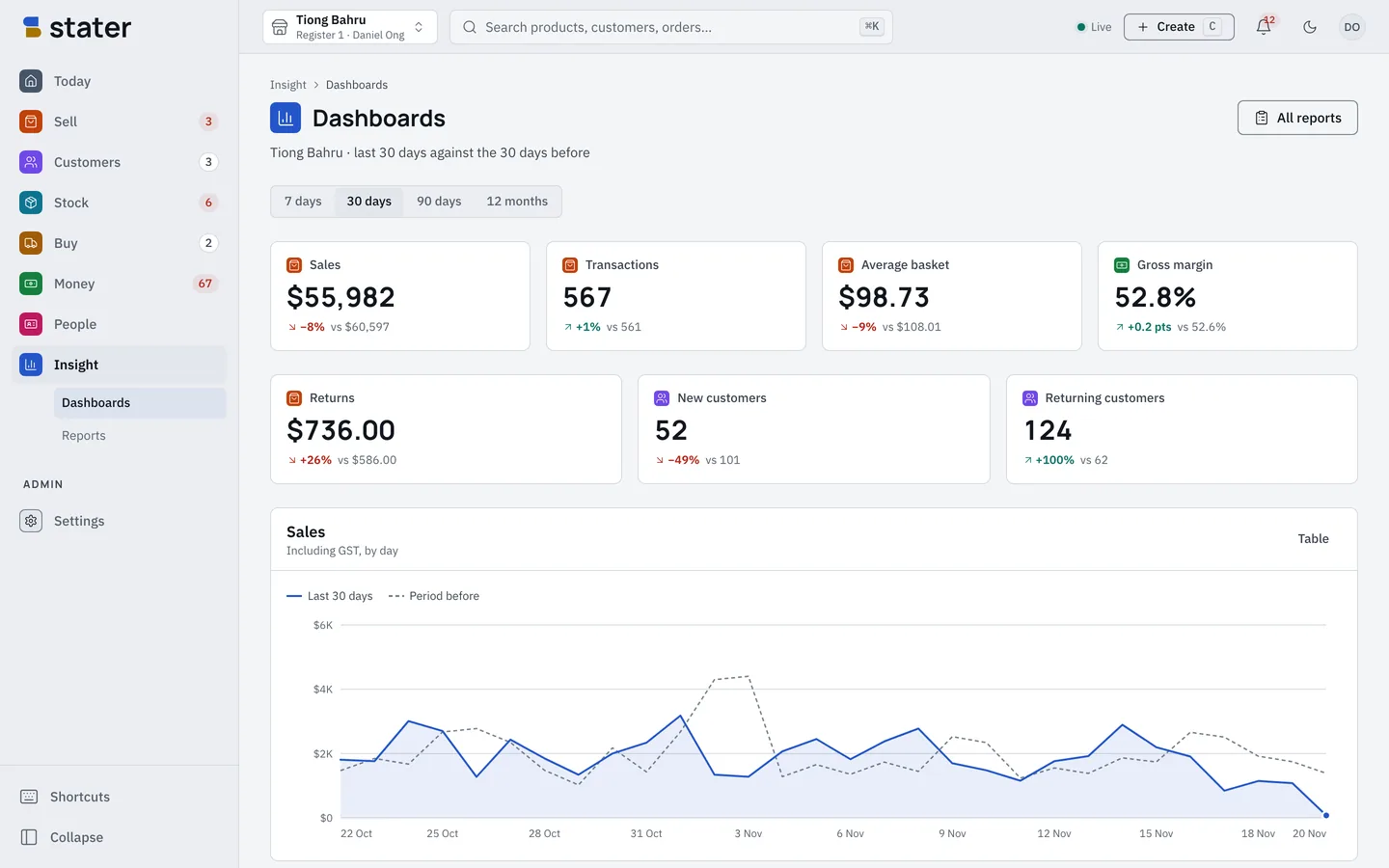
- Dashboards and reports on sales, margin, categories, products, staff, customers and stock valuation.
- Every report exports to CSV.
- Advanced reports come with Business and up, as do the finance dashboards.
 Every plan
Admin
- Stores and registers, company settings and the licence.
- Integrations: API tokens on Growth and up, and signed webhooks on Business and up.
- A full audit log.
- A first-run setup wizard in four steps.
Growth plan and up
Counter layouts
- Managers design the counter's tabs and folders, and its category, discount and function tiles, with pictures.
- Preview, save drafts and publish. The last 20 versions are kept.
- Open-price products, sold by weight or by the job, are included.
- Published layouts keep working after a licence lapses, so a till is never rearranged mid-shift.
Growth plan and up
Offline counter
- A till keeps selling with cash and card while Stater or the network is down.
- Sales are kept on the till under their own receipt numbers and sent once Stater answers.
- It installs as an app, “Stater Counter”.
- The offline window is 72 hours by default; 24 hours, 48 hours or 7 days can be chosen.
- Offline tills keep no passwords, PINs, session tokens, customers, costs or stock figures.
Business plan and up
Finance dashboards and reports
- Net revenue, gross profit and margin, GST to pay, cash in tills, and the ageing of what you are owed and what you owe.
- Stock at an earlier date, profit and loss, and printing to PDF, worked out live.
- GST F5 box numbers for Singapore companies.
- The tax summary, cash-up differences, the discounts and refunds report and today's stock valuation stay on every plan.
Growth plan and up
Accounting exports and sync
- One balanced summary journal for each store and trading day, plus supplier bills and manual customer invoices.
- Import files for Xero, QuickBooks Online, QuickBooks Desktop (experimental), MYOB, Dynamics 365, Sage and a generic double-entry CSV.
- Direct sync to Xero, QuickBooks Online and Business Central, with MYOB as an experiment.
Business plan and up
AI assistant
- Owners, managers and finance ask in plain words and get answers with numbered sources.
- Answers come from read-only lookups run as the person asking, and from documents an owner uploads: PDF, .docx, text, Markdown or CSV.
- You bring your own OpenAI-compatible provider and token. OpenAI, vLLM and Ollama work.
- It is off until an owner turns it on and confirms the privacy notice. Customer names and contact details are left out by default.
- Questions and the data needed to answer them go to the provider you choose.
Every plan
- Receipts, ready-to-collect notices, purchase orders, staff set-password links and alerts.
- Sent through your own mail server or provider.
- Sent email text is blanked after 7 days, and finished emails are deleted after 30.
Business plan and up
Company sign-in
- Staff sign in with their company account: Microsoft Entra ID, Google Workspace or any OpenID Connect provider, on Business and up.
- Active Directory and other LDAP servers on Enterprise.
- Groups map to roles and stores.
- An owner with a Stater password can always sign in.
Business plan and up
Security events and threat feeds
- Forward security events to Splunk (HEC), Elastic (ECS 8.11), syslog over TCP or TLS (CEF or JSON) or any HTTPS endpoint, on Business and up.
- Recording events and the event log work on every plan.
- Forwarded events never contain pay, cost, customer details, addresses or passwords.
- On Enterprise, read TAXII 2.1 feeds of known-bad addresses and domains to monitor or block them, and publish repeated failed sign-ins as the
stater-securitycollection.
Every plan
Install on your own servers
- Signed .deb and .rpm packages with a hardened systemd service and
sudo stater configure, for Debian 12 or later, Ubuntu 22.04 or later, and RHEL, Rocky Linux or AlmaLinux 9 or later, on amd64 and arm64. - A Docker Compose bundle with
install.sh, for Docker with Compose v2 or Podman 4.4 or later, in about 2 GB of memory. - A Helm chart for Kubernetes 1.27 or later and Helm 3.8 or later, with non-root, read-only pods.
- PostgreSQL 16 or later; 17 recommended. Managed databases and CloudNativePG work.
- Every release file is listed in SHA256SUMS and signed with cosign. The image and chart are signed by digest, and the image ships with provenance and an SBOM.
Every plan
Database set-up and backups
stater db initsets up the database with least privilege.stater db doctorand Admin › System health check it in plain language.- Scheduled backups, nightly at 02:30 by default and up to six a day, to a folder, S3-compatible storage or both.
- Encrypted with AES-256-GCM before they leave the server, with a signed manifest, and read back after each run.
- A keep rule of 14 days or the newest 7 by default. Restore is command-line only, with a safety backup first.
- Saving an S3 destination in Admin needs Growth. S3 targets include AWS, MinIO, Garage, Wasabi, Backblaze B2 and Cloudflare R2.
Every plan
Licences
- Signed licence files, checked offline on your server. Nothing calls home.
- Check licence previews what would change before you install.
- Renewals can be queued to take over on their start date, and every install is kept in a licence history.
- When a licence lapses, Stater falls back to Starter limits: nothing is deleted and nobody is locked out. When a licence lapses
Growth plan and up
API and webhooks
- One REST API, which the web app itself uses. OpenAPI 3.1 is generated from the code.
- API tokens on Growth and up carry a role, read or write access, an optional store and an expiry.
- Webhooks on Business and up are signed with HMAC-SHA256, cover 28 core topics, and are tried 8 times over about 2 hours.
- Online stores and other systems connect through the API and webhooks.
Request early access
Tell us about your shops, how many stores and staff you have, and how you sell today. KazLabs will reply about early access.